I’m not going to get into the debate about whether using #regions is good practice or not, but it’s something I don’t use and that I usually read as a smell when I find it in code. I decided to write this little note because I recently needed to remove almost 25,000 regions (yes, twenty-five thousand) from a project, and I want to have this handy for the future.
The trick is very simple: we need to use Visual Studio’s find and replace feature and tick the checkbox to use regular expressions in the search.
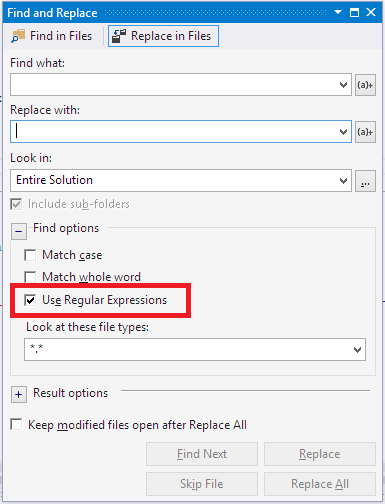
Once that’s done, we need two passes, the first for the #region lines and the second for the #endregion lines. These are the two regular expressions to use if the code is written in C#:
\#region .*\n

If it's C#
\#endregion .*\n

If it's VB.Net
\#end region .*\n
When I do it, I also make it apply the change only to “.vb” or “.cs” files, as appropriate.